Top Ubuntu Application , Category #1 - EYECANDY
1.Compiz-Fusion
(for installation, read it at my previous post here)
2.Avant Window Navigator
(for installation, read it at my previous post here)
3.Emerald - a window decorator for compositors (compiz fusion, beryl).
To install :
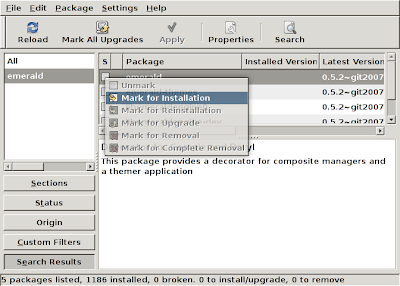 Synaptic Package Manager.
(for installation, read it at my previous post here)
2.Avant Window Navigator
(for installation, read it at my previous post here)
3.Emerald - a window decorator for compositors (compiz fusion, beryl).
To install :
- Open Synaptic Package Manager (System>Administration>Synaptic Package Manager) and search for 'emerald'. Then, mark the program named 'emerald' and choose 'mark for installation'. You can mark emerald-themes too, it packs some emerald themes.
 Synaptic Package Manager.
4. Screenlets - a small application, like clocks, wheater, rss reader, that can be place on your desktop ( like Vista ). You MUST HAVE compositors to install this.
To install :
To install :
- Download the latest screenlets source here. Extract the file and rename it as screenlets. Put in your desktop.
- Open Terminal and enter :
cd Desktop/screenlets
- Then enter :
sudo make install
- To make screenlets appear in menu, open Terminal and enter
sudo make menu
- Restart Ubuntu. Log in and screenlet will appear on menu. Have Fun!
- If you want additional screenlets, you can download at www.gnome-look.org, there's plenty of it.. :)
Labels: Avant Window Navigator, Emerald, Eye Candy, Top Application Ubuntu, Ubuntu Linux


